|

|
VBA > Table > SetSubDatasheetNone
Set SubDatasheet to [None] in all tables where needed to enhance performance.
|
|
|
Set SubDatasheet to [None] in all tables where needed to enhance performance.
An advantage of turning off SetSubDatasheetNone is better performance. If tables used in forms have subdatasheets, then when forms are loaded, even when though those subdatasheets aren't necessary, all that related information is still loaded. When a form has several subforms, and each table is loading other tables, which, in turn, load other tables, this takes more time and can also cause other issues. Why sacrifice performance and risk errors? Better to turn them all off.
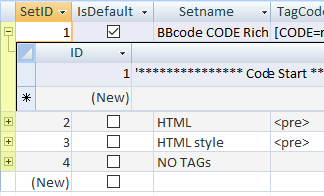
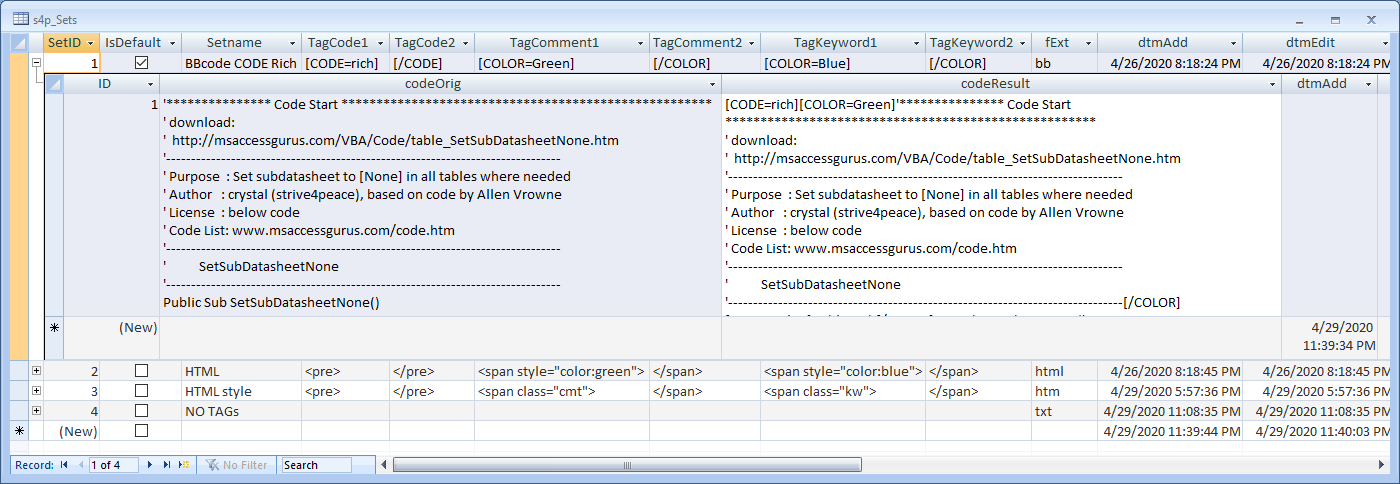
This table has a subdatsheet to another table on SetID. Performance would be better without it.
Option Compare Database
Option Explicit

' module name: mod_SetSubDatasheetNone_s4p
'*************** Code Start *****************************************************
' Purpose  : Set subdatasheet to [None] in all tables where not done yet
' Author   : crystal (strive4peace), based on code by Allen Browne
' web site : https://msaccessgurus.com
' This code: https://msaccessgurus.com/VBA/Code/table_SetSubDatasheetNone.htm
' LICENSE  :
'   You may freely use and share this code, but not sell it.
'   Keep attribution. Mark your changes. Use at your own risk
'-------------------------------------------------------------------------------
'           SetSubDatasheetNone
'-------------------------------------------------------------------------------
Public Sub SetSubDatasheetNone()

   'crystal (strive4peace) 061027, 160905, 200423
   'strive4peace
   'based on code written by Allen Browne
   '  Microsoft Access Flaws - Problem properties by Allen Browne
   '  http://allenbrowne.com/bug-09.html

   'set the Subdatasheet property to [None]
   'in all user tables

   'needs reference to
   'Microsoft DAO Library

   Dim tdf As DAO.TableDef _
      ,prop As DAO.Property

   Dim iCountDone As Integer _
      ,iCountChecked As Integer _
      ,bChanged As Boolean _
      ,sName As String

   'skip errors
   On Error Resume Next

   iCountDone = 0
   iCountChecked = 0
   For Each tdf In CurrentDb.TableDefs
      'skip Microsoft System tables
      If Left(tdf.Name,4) <>  "Msys" Then

         bChanged = False
         iCountChecked = iCountChecked + 1
         Err.Number = 0
         sName = tdf.Properties( "SubdatasheetName")
         If Err.Number > 0 Then

            Set prop = tdf.CreateProperty( _
               "SubdatasheetName",dbText, "[None]")

            tdf.Properties.Append prop
            bChanged = True
         Else
            'thanks, Allen!
            If tdf.Properties( "SubdatasheetName") <>  "[None]" Then
               tdf.Properties( "SubdatasheetName") =  "[None]"
               bChanged = True
            End If
         End If
         If bChanged = True Then
            iCountDone = iCountDone + 1
         End If
      End If
   Next tdf

   Set prop = Nothing
   Set tdf = Nothing

   MsgBox iCountChecked &  " tables checked" & vbCrLf & vbCrLf _
      &  "Reset SubdatasheetName property to [None] in " _
      & iCountDone &  " tables" _
      ,, "Reset Subdatasheet to None"

End Sub
'*************** Code End *******************************************************
Loop through all tables. If the SubdatasheetName property isn't set to [None] then change it. Count how mamy changes were made.
Click
mod_SetSubDatasheetNone_s4p__BAS.zip
to download the zipped BAS file containing the code for SetSubDatasheetNone.
(2 kb, unzips to a BAS file)
This code may be used freely, but you may not sell it as your own. You may include it in applications you develop for others. Keep license information, clearly mark your changes.