Download
Access database file has 1 form for testing
and one module with a Sub to implement anywhere.
License
This may be used freely, but you may not sell it in whole or in part.
You may include it in applications you develop for others provided you keep attribution, mark your modifications, and share this source link.
Remember to UNBLOCK files you download to
remove the Mark of the Web.
Here are steps to do that:
https://msaccessgurus.com/MOTW_Unblock.htm
VBA
MODULE : mod_Control_PrevNextinList_s4p
Select Next or Previous choice in Combo box or Listbox
Option Compare Database
Option Explicit

' module: mod_Control_PrevNextinList_s4p
'*************** Code Start ***************************************************
' Purpose  : Select Previous or Next choice in Combobox or Listbox
' Author   : crystal (strive4peace)
' This code: https://msaccessgurus.com/VBA/Control_PrevNextinList.htm
' LICENSE  :
'   You may freely use and share this code, but not sell it.
'   Keep attribution. Mark your changes. Use at your own risk.
'--------------------------------------------------------------------------------
'
Public Sub Control_PrevNextinList_s4p( _
   pControlWithList As Control _
   ,pnAdd As Long _
   ,Optional ByVal pbCycle As Boolean = True _
   ,Optional ByVal pbShowErrorMessage As Boolean = True _
   )
'250624,26 s4p
' change choice in combobox or listbox control
'  to previous, next, or whatever specified by pnAdd
' If nothing selected, Previous will go to first and Next will go to last
' listbox may not be multi-select

   'PARAMETERS
   '  pControlWithList = combo or listbox control to change Value
   '  pnAdd = number to add or subtract
   '           -1 = Previous
   '           1 = Next
   '  pbCycle = True to cycle to last or first if at beginning or end
   '  pbShowErrorMessage = True to show messages to user if nothing to do

   'EXAMPLEs
   ' Call Control_PrevNextinList_s4p(Me.Combo1, 1, Me.chk_Cycle, True)
   '     select choice for Combo1 control
   '     1 = next, user controls pbCycle, show error messages
   ' Call Control_PrevNextinList_s4p(Me.MylistControlname, -1, 0, False)
   '     select choice for MylistControlname combo or listbox control
   '     -1 = previous, don't Cycle, don't show error messages

   Dim nSelectedIndex As Long _
      ,nNewIndex As Long _
      ,nFirstIndex As Long _
      ,nLastIndex As Long _
      ,sControlname As String

   If pnAdd = 0 Then
      'nothing to do
      If pbShowErrorMessage <> False Then
         MsgBox  "No records to add or subtract" _
            &  " for " & sControlname _
            ,, "Nothing to do"
      End If
      Exit Sub
   End If

   With pControlWithList
      'nFirstIndex is 0 or 1 (if has ColumnHeads)
      If .ColumnHeads Then
         nFirstIndex = 1
      Else
         nFirstIndex = 0
      End If
      'number of items in list
      nLastIndex = .ListCount - 1  'list index is 0-based
      sControlname = .Name

      ' ------------------ if nothing selected,
      ' pick first if Previous or last if Next
      ' and then exit
      If .ListIndex < 0 Then
         If pnAdd < 0 Then
            nNewIndex = nFirstIndex  'first
         Else
            nNewIndex = nLastIndex   'last
         End If
         .Value = .ItemData(nNewIndex)
         Exit Sub
      End If
      ' ------------------

      ' Get the row index of the selected item
      nSelectedIndex = .ListIndex + nFirstIndex

      nNewIndex = nSelectedIndex + pnAdd

      'if past end
      '  go to beginning if Cycle
      '  or change nothing
      If nNewIndex > nLastIndex Then
         If pbCycle <> False Then
            'go to beginning
            nNewIndex = nFirstIndex
         Else
            If pbShowErrorMessage <> False Then
               MsgBox  "You are at the end of the list" _
                  &  " for " & sControlname _
                  ,, "Nowhere to go"
            End If
            Exit Sub
         End If
      'if before beginning
      '  go to end if Cycle
      '  or change nothing
      ElseIf nNewIndex < nFirstIndex Then
         If pbCycle <> False Then
            'goto end
            nNewIndex = nLastIndex
         Else
            If pbShowErrorMessage <> False Then
               MsgBox  "You are at the beginning of the list" _
                  &  " for " & sControlname _
                  ,, "Nowhere to go"
            End If
            Exit Sub
         End If
      End If
      .Value = .ItemData(nNewIndex)
   End With

End Sub
'*************** Code End ******************************************************
' Code was generated with colors using the free
Color Code add-in for Access
Logic
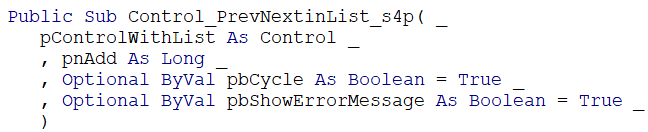
The Control_PrevNextinList_s4p procedure takes 4 parameters, 2 of which are optional.
The first parameter, pControlWithList As Control, is the control you want the procedure to change the selection of. If you're calling this from code behind a form, that might be something like Me.comboControlName
or Me.listboxControlName
The second parameter, pnAdd As Long, is the number to add or subtract in the list. This would usually be -1 (for previous) or 1 (for next).
The third parameter, Optional ByVal pbCycle As Boolean = True, determines what to do when the end or beginning of the list has been surpassed. If cycle is True, then the list keeps going around: next for last is first; and previous for first is last.
The fourth parameter, Optional ByVal pbShowErrorMessage As Boolean = True, determines what to do if there is an error: show the user a message (True) or just exit without an explanation (False).
Get the ListIndex to see what is selected in pControlWithList. If nothing selected, then pick first if up or last if down. See if ColumnHeads are displayed, and use ListCount to find out how many items are in the list.
If there is something selected, determine the new index and use it to specify that .Value = .ItemData(nNewIndex)
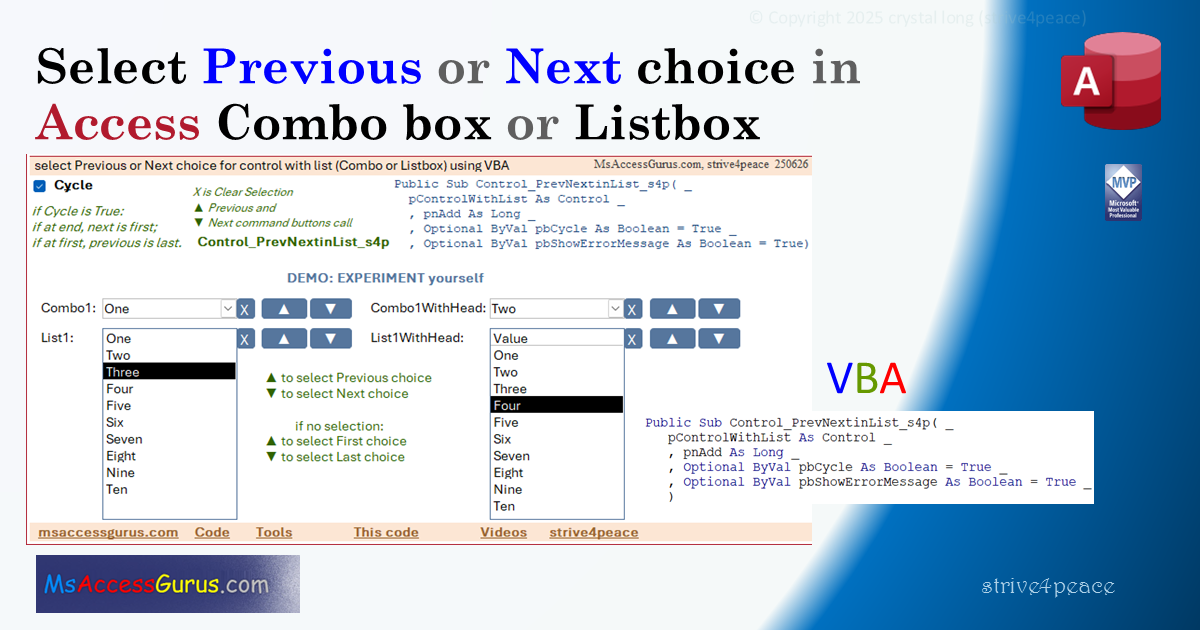
this can be used for:
- Combo box
- Combo box with header row
- Listbox
- Listbox with header row