
Ms Access Gurus      

VBA Error Handling

This is an in-depth video presentation on error handling in VBA. Download the module used for the demo or look under VBA to see the code

From the basics of handling errors, but by no means only the basics, to a demo and discussion on how the error handler works in VBA.

How to set up an error handler, what is error handling mode, various ways to go back to normal execution, ways to cause crashes, and where execution goes then and why.

Trace through things sequentially and see what happens at every step. See why errors can ripple up.

Adrian Bell (NeoPa) goes through various basic concepts of the Error Handling features provided for VBA. These concepts apply to all applications (Access, Excel, Word, PowerPoint, etc.) which are VBA-enabled.
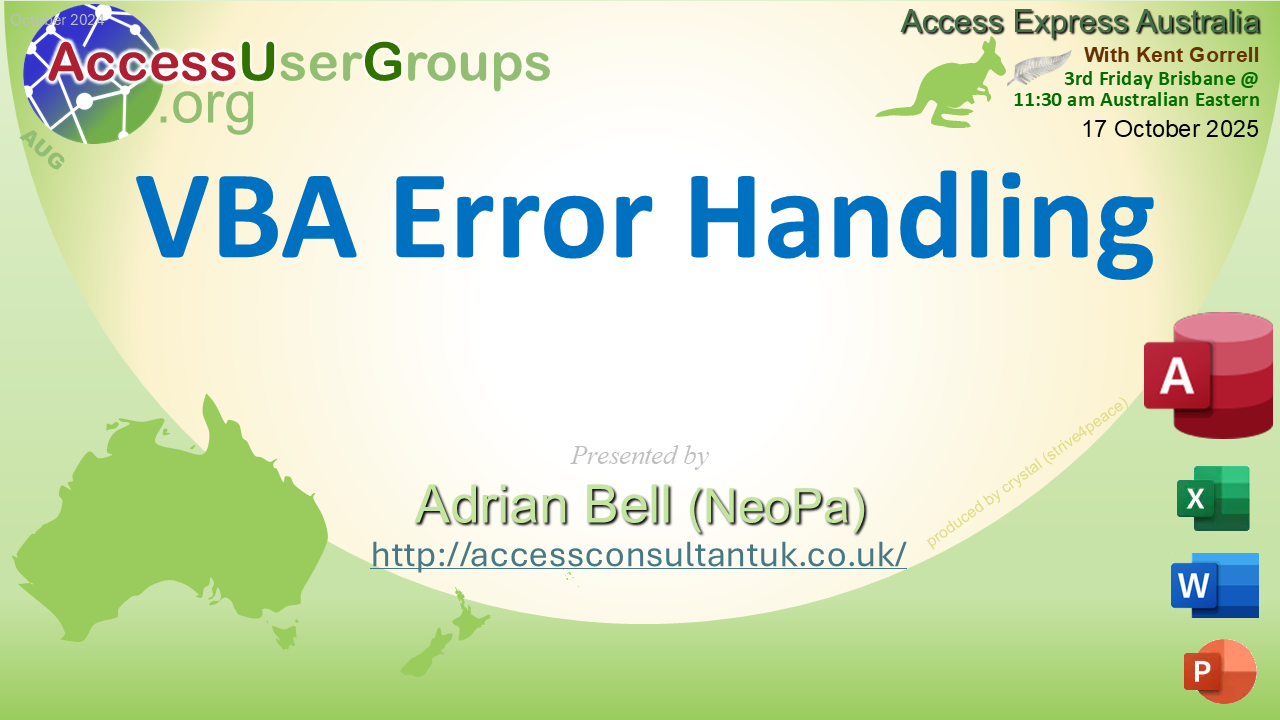
Error Handling for VBA

Quick Jump

Goto the Very Top  

Download

VBA module with error handling examples shown in the demo

mod_ErrorHandling__BAS.zip (3 kb, unzips to a VBA module. )  

Goto Top  

Video

watch on YouTube: AEA: VBA Error Handling with Adrian Bell and Kent Gorrell (38:10)

Goto Top  

VBA

MODULE: modErrorHandling

Various procedures to test error handling

Option Compare Database 
Option Explicit 

'Explore Error Handling in Access VBA.

'When an error is triggered in VBA it is handled directly by VBA itself -
'Unless the code has specified an alternative.
'Each procedure can have up to one - only one - active Error Handler at a time.
'It's possible for more to be defined & used - but not simultaneously.

'Error Handlers (EHs) are enabled using one of the variations of {On Error}
'statements (but not {On Error GoTo -1} as this has a special meaning.
'See below).
'To start with, whenever an error occurs the special Err object is set up with
'the Error Details (Number, Description, etc).
'When EH code is activated (IE. Error not ignored or continued immediately) then
'the EH triggering is itself, suspended.  Essentially the code is in Error
'Handling Mode (EHM).  That is the case until a Resume (or similar) is executed
'to re-enable Normal Mode (NM).  Exiting the procedure also ensures NM is
'resumed back at the calling level.
'Whenever a procedure is called from higher-level code, that code also handles
'any errors from the lower down code that have not already been handled.
'So, if a called procedure has no error handling for itself but throws an error,
'then the higher level sees the call statement itself as producing the error and
'handles it like any other of its statements/commands.
'This is true for as many levels as there are no (active) EHs for.

'Generally speaking, the {On Error} statements are to do with setting & clearing
'where code is run to handle errors, and the {Resume} statements are for
'returning the code to NM again afterwards.
'When the code returns to NM the EH triggering is re-enabled after being
'suspended during EHM.

'On Error GoTo {Label}/     Error Handling code starts at the Label/Line No.
'              {Line No}
'On Error Resume Next       Error ignored but Err object is set.
'                           Normal code restarts at the statement following the
'                           error.
'On Error GoTo 0            Cancel Error Handling at the current proc level.
'                           Errors trigger higher-level EHs set again using
'                           {On Error ...}.
'On Error GoTo -1           Normal execution continues here.
'                           This is the reverse of all other {On Error}-type
'                           statements as it handles the end of EHM rather than
'                           the triggering of it.
'                           Should rather have been implemented as
'                           {Resume Here}.

'Resume                     End Error Handling and re-enable EH trigger then
'                           rejoin the code at the statement that triggered the
'                           original error.  Err object is cleared.
'Resume Next                End Error Handling and re-enable EH trigger then
'                           rejoin the code at the statement following the one
'                           that triggered the original error.
'                           Err object is cleared.
'Resume {Label}/            End Error Handling and re-enable EH trigger then
'       {Line Number}       rejoin the code at the Label/Line Number specified.
'                           Err object is cleared.

Private lngZero As Long,lngWork As Long 

'This code is designed to allow the user to trace through it sequentially
' and see exactly what happens at every step.
'The Stop statement acts as a permanent Breakpoint.
Public Sub TestStack() 
    Static blnNotFirst As Boolean 

    Stop                         'Stop works like a permanent Breakpoint.
    On Error Resume Next 

    lngZero = 0 
Error1: 
    lngWork = 5 / lngZero 
    If Err.Number <> 0 Then 
        Debug.Print Err.Description; 
        Call Err.Clear 
    End If 
    Debug.Print Err.Number; 

    On Error GoTo ErrorHandler 
Error2: 
    Call TestStack2 
    Debug.Print Err.Number; 
Error3: 
    Call TestStack2 
    Debug.Print Err.Number; 

    'Without {Exit Sub} here the code would drop through to the ErrorHandler
    ' which is rarely designed to handle anything but errors.
    Exit Sub 

ErrorHandler: 
    Debug.Print  "TS"; Err.Number; 
    Resume Next 
End Sub 

Private Sub TestStack2() 
    'No error handling configured here at all.
    
Error1: 
    Call TestStack3 
End Sub 

Private Sub TestStack3() 
    On Error Resume Next 

    Debug.Print Err.Number; 

Error1: 
    lngWork = 5 / lngZero 
    Debug.Print Err.Number; 
Error2: 
    lngWork = 5 / lngZero 
    Debug.Print Err.Number; 
    On Error GoTo 0              'This clears error handling at this level.
    Debug.Print Err.Number; 
Error3: 
    lngWork = 5 / lngZero 
    Debug.Print Err.Number; 
End Sub 

Public Sub TestOEResume() 
    Static blnNotFirst As Boolean 
    On Error GoTo ErrorHandler 

    Stop                         'Stop works like a permanent Breakpoint.
Error1: 
    Debug.Print Err.Number;      'NB Difference between Resume & GoTo.
    lngWork = 5 / lngZero 

ErrorHandler: 
    If Not blnNotFirst Then 
        Debug.Print  "TOER_Resume"; Err.Number; 
        blnNotFirst = True 
        Resume Error1 
    End If 
    Debug.Print  "TOER_GoTo"; Err.Number; 
    GoTo Error1 
End Sub 

Public Sub TestNoExit() 
    On Error GoTo ErrorHandler 

    Stop                         'Stop works like a permanent Breakpoint.
Error1: 
    Debug.Print Err.Number; 
    lngWork = 5 / lngZero 
    Debug.Print Err.Number; 

ErrorHandler: 
    Debug.Print  "TNE"; Err.Description; 
    Resume Next                  'NB when there is nothing to resume.
End Sub 

Public Sub TestGoToMinusOne() 
    On Error GoTo ErrorHandler 

    Stop                         'Stop works like a permanent Breakpoint.
Error1: 
    Debug.Print Err.Number; 
    lngWork = 5 / lngZero 
    'This is never run.
Continue: 
    'Resume Next
    Debug.Print  "Continues in normal mode"; Err.Number; 
    Exit Sub 

ErrorHandler: 
    Debug.Print  "TGMO"; Err.Description; 
    'Call Err.Clear
    On Error GoTo -1             'Equivalent of Resume Here.
    'Err object cleared & also returned to Normal Mode from Error Handling mode.
    'The following code runs normally as a continuation of the code that failed.
    Debug.Print Err.Number; 
    'Resume Continue
    'GoTo Continue
    On Error GoTo Continue 
    lngWork = 5 / lngZero 
End Sub 

Public Sub TestResume() 
    Static blnNotFirst As Boolean 
    On Error GoTo ErrorHandler 

    Stop                         'Stop works like a permanent Breakpoint.
Error1: 
    Debug.Print Err.Number; 
    lngWork = 5 / lngZero 
    Debug.Print Err.Number; 
    lngZero = 0 
Error2: 
    lngWork = 5 / lngZero 
    Debug.Print Err.Number; 
    Exit Sub 

ErrorHandler: 
    If Not blnNotFirst Then 
        Debug.Print  "TR_Resume"; Err.Number; 
        blnNotFirst = True 
        lngZero = 1 
        Resume 
    End If 
    Debug.Print  "TR_ResumeNext"; Err.Number; 
    Resume Next 
End Sub 

Public Sub TestNewGoTo() 
    On Error GoTo ErrorHandler 

    Stop                         'Stop works like a permanent Breakpoint.
Error1: 
    Debug.Print Err.Number; 
    lngWork = 5 / lngZero 
    Debug.Print Err.Number; 
    lngWork = 5 / lngZero 
    Debug.Print  "Continues in normal mode"; Err.Number; 
    Exit Sub 

ErrorHandler: 
    Debug.Print  "TGMO"; Err.Description; 
    On Error GoTo EH2 
    Resume Next 
    Debug.Print Err.Number; 
    lngWork = 5 / lngZero 
EH2: 
    Resume Next 
End Sub 
' Code was generated with colors using the free Color Code add-in for Access

Goto Top  

Back Story

Access Express Australia, hosted by Kent Gorrell, part of AccessUserGroups.org, meets the 3rd Friday of each month ... in Australia. Time AND Date is different depending on where you are in the world.

Zoom Meeting ID: 824 2837 1009
Passcode: 123456

Access Express Australia
3rd Friday
11:30 am Brisbane, Queensland, Australia
(NO DAYLIGHT SAVINGS)
GMT+10

Pacific time on Thursday:
summer = 6:30 pm
winter = 5:30 pm

UK time on Friday:
summer = 2:30 am
winter = 1:30 am

Although sometimes there are formal presentations, most often, Kent's meetings are Access developers getting together, sharing ideas, and helping each other.

This topic is presented by Adrian Bell, who has dived in deep to how errrors are handled in VBA.

Goto Top  

Share with others

here's the link to copy:

https://msaccessgurus.com/VBA/VBA_ErrorHandling.htm

Goto Top