
|

|
Analyzer Tool for Access
|
|
|
The Analyzer gives you information about Tables, Fields, Relationships, Forms, Reports, Controls, and more. Open the Analyzer, Browse to a database you want to document, then Run the Analyzer, easy!

Use the Find combo box in the form header to pull up values from a previous analysis so you can run reports on it. The Analyzer has one analysis in it -- that of the Analyzer itself.
There are more than 50 built-in reports, and more than a hundred tables that store information about the database(s) you analyze, so if you can't get what you want from one of the defined reports, you can create queries and reports for what you want to know. Look at the Relationships diagram to see how the tables relate -- they pretty much follow DAO structures, along with additional calculations.
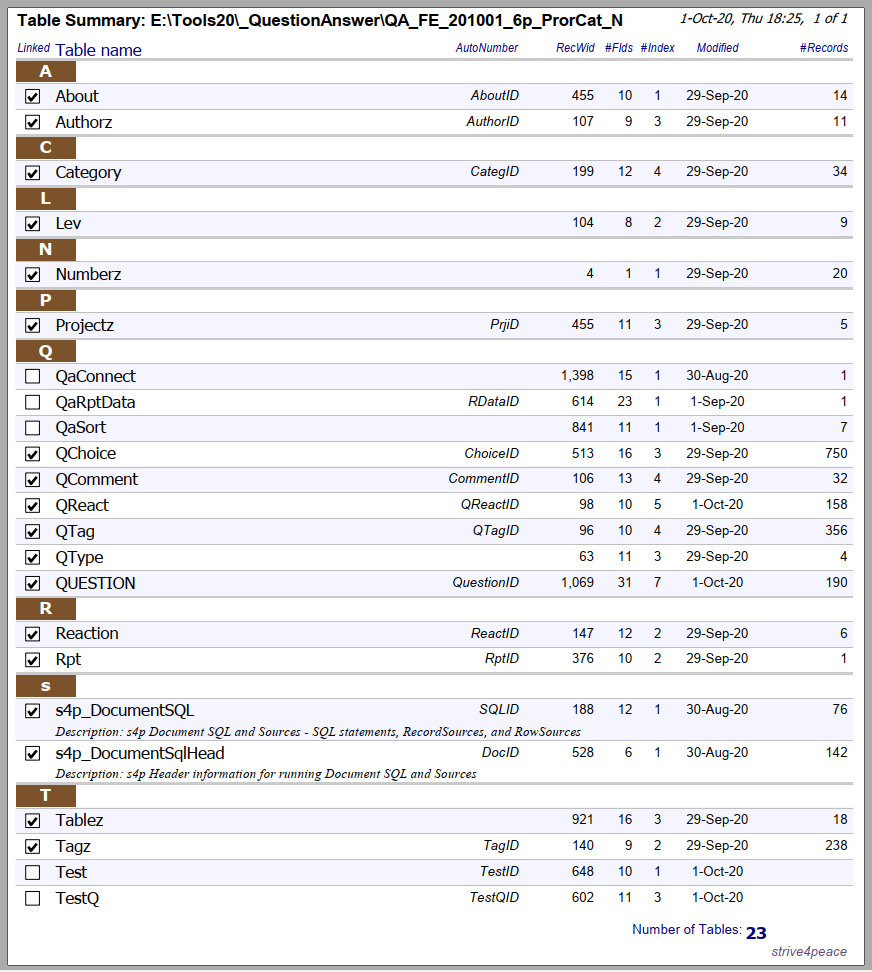
List all your table names and how many records are in each. Also show the AutoNumber field name, if there is one, the number of fields, when the design was last modified, and more.
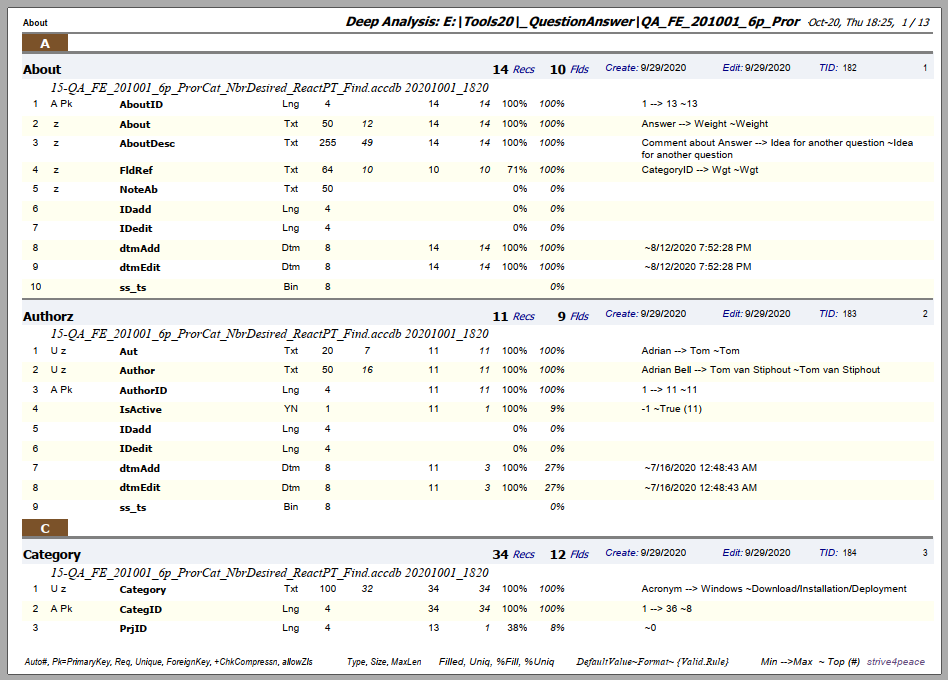
The Deep Analysis report gives everything you'd see in a data dictionary with more depth. Look at the labels in the page footer to correlate values.
video: Analyzer for Microsoft Access - free tool to see what's in your database
Download Analyzer_250705_s4p_Peter_withAnalyzer_ACCDB.zip (3.5 mb)
There is already one analysis in the download -- of the Analyzer itself — use the Find combo box in the form header to find it and run reports on its results.
This is a zipped up ACCDB file. Update 5 July 2025: vbWatchdog (global error handler) updated by Peter Cole on behalf of Wayne Phillips (vbWatchdog on EverythingAccess.com) and a few other minor changes.
Remember to UNBLOCK files you download to remove the Mark of the Web. Here are steps to do that: https://msaccessgurus.com/MOTW_Unblock.htm
If you have a problem, compile and save in your environment, and perhaps Compact/Repair. Did that fix it?
... did you unblock the zip file and extract the database before opening it?
For years, I've been documenting databases. Others like to document as well and originally I got talked into sharing source code for the Analyzer, which I did.
Then I got talked into making the Analyzer an open source, collaborative project, which I did. CodePlex was Microsoft's sharing site for developers. Little did I know it was not to last. Now the site is archived so you can see everything that was posted, but content can't be updated. The Analyzer got a lot of care and attention. Thanks to Graham, Wayne, Mark, James, Henry, Adrian, Bill, Anders, and many others who helped the Analyzer get wings.
Had that collaborativeness lasted, it would have been great! Who knows where it would be now. But alas, cold water got sprinkled on the hot fire.
Then the Analyzer went to GitHub. There hasn't been any collaboration there, and I haven't been good about updating it there either.
This is the bext link for the latest version.
Over the years, many of you have written to me about the Analyzer, thank you.
The Analyzer is back to being changed by mostly me -- although lately, it has also been Peter Cole updating Wayne Phillips' vbWatchdog, thanks Peter! ... no doubt he'd like to dig into the 32/64 stuff too ...
Share back the queries and reports you make with the Analyzer data.
The Analyzer captures and calculates a lot of information that's not on any report. Myself, I make queries and maybe put into Excel for further manipulation. What is helpful to you?
Donate if you can.