
|
A recursive function calls itself.
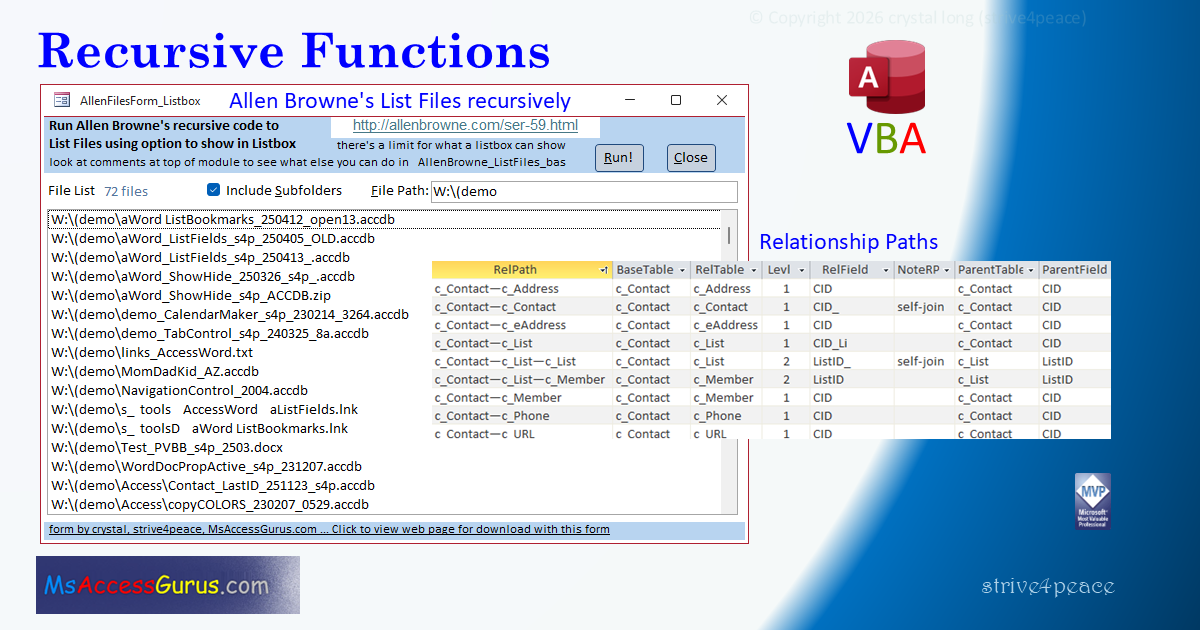
A good example is Allen Browne's code to list files. It saves file name and path (the recursive part) to a collection. Then it writes the results either to the Immediate window or the value list for a listbox on a form. Both of these ways of reporting are limited. I added a form to call Allen's code, and an optional feature to save the collection to a table.
Another use for a recursive function is tracing relationship paths from any beginning table through intermediate tables to an ending table. This uses words to describe the different table paths that relate your data.
Access Lunchtime hosted by Maria Barnes 24 Feb 2026
Recursive_presentation_s4p.pdf
Recursive_ListFiles_AllenB_s4p__ACCDB.zip
Recursive_RelPath_s4p__ACCDB.zip
To use RelPath in your database import:
into your database. Compile, Save, and run DoRelPath_All_s4p OR DoRelPath_OneTable_s4p
filter for BatchID if you've run more than once
Remember to UNBLOCK files you download to remove the Mark of the Web if it is set. Here are steps to do that: https://msaccessgurus.com/MOTW_Unblock.htm
click to watch on YouTube: Recursive Functions Presentation (52:55)
Read the video description on YouTube for more information and links
Allen Browne's code, as he originally wrote it:
http://allenbrowne.com/ser-59.html
RelPath is covered more in-depth here, and hasn't changed. However, now form to run Allen's ListFiles code has options to write to a table and prompt for FileSpec — therefore, the presentation download version is better for Allen's tool — and also easier to isolate what you need to import to use RelPath.